🛠 TINKERCAD
¿Qué es Tinkercad?
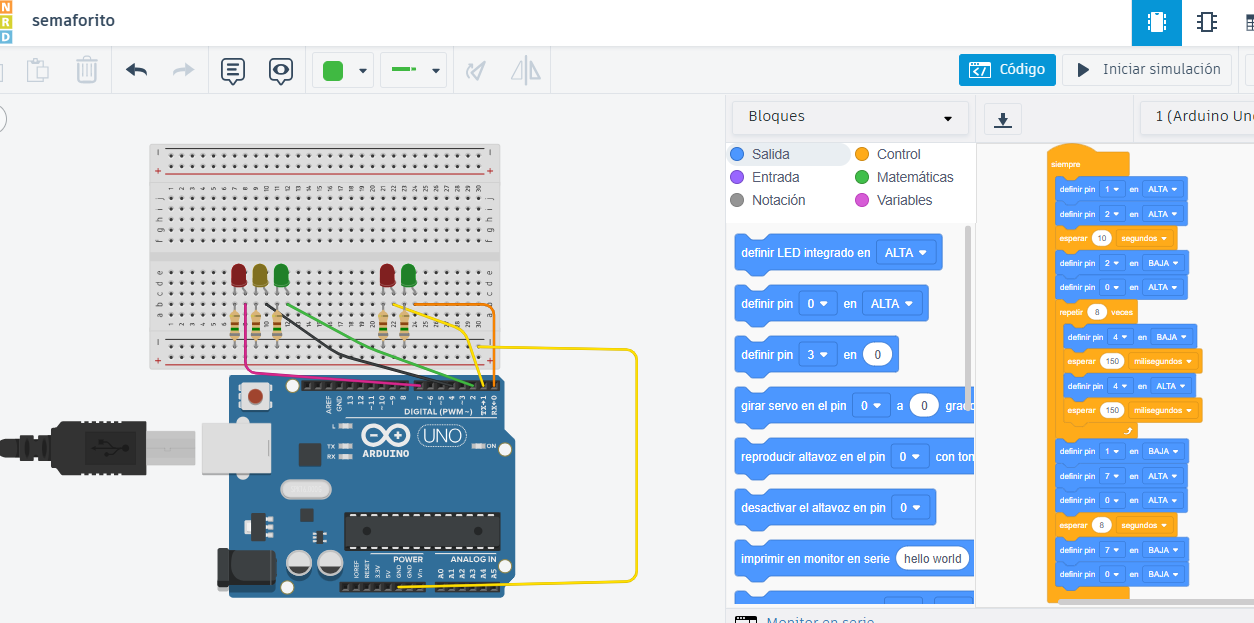
Tinkercad es una plataforma online gratuita que permite simular circuitos electrónicos y programar Arduino sin necesidad de hardware real.
Ventajas
- Simulación en tiempo real.
- Ideal para aprender sin riesgo.
- Gran biblioteca de sensores y módulos.
Ejemplo: LED parpadeando
Cableado:
- Pin 13 → resistencia → ánodo del LED.
- Cátodo del LED → GND.
// LED parpadeando en pin 13
int led = 13;

void setup() {
  pinMode(led, OUTPUT);
}

void loop() {
  digitalWrite(led, HIGH);
  delay(1000);
  digitalWrite(led, LOW);
  delay(1000);
}
⚡ ARDUINO
¿Qué es Arduino?
Arduino es una plataforma de hardware libre usada para controlar sensores, motores, LEDs y todo tipo de dispositivos electrónicos.
Cableado básico
- 5V / 3.3V: alimentación.
- GND: tierra común.
- Pines digitales: HIGH/LOW.
- Pines analógicos: lectura 0–1023.
Ejemplo: Sensor LM35
Cableado:
- Vout → A0
- Vcc → 5V
- GND → GND
// Lectura de temperatura con LM35
int sensorPin = A0;

void setup() {
  Serial.begin(9600);
}

void loop() {
  int valor = analogRead(sensorPin);
  float voltaje = valor * 5.0 / 1023.0;
  float temperatura = voltaje * 100.0;

  Serial.print("Temp: ");
  Serial.print(temperatura);
  Serial.println(" °C");

  delay(1000);
}
🍓 RASPBERRY PI
¿Qué es Raspberry Pi?
Raspberry Pi es un miniordenador capaz de ejecutar Linux y controlar dispositivos mediante sus pines GPIO.
Cableado básico
- GPIO: pines digitales.
- 3.3V / 5V: alimentación.
- GND: tierra.
Ejemplo: LED en GPIO 17
- GPIO 17 → resistencia → LED.
- LED → GND.
import RPi.GPIO as GPIO
import time

LED = 17

GPIO.setmode(GPIO.BCM)
GPIO.setup(LED, GPIO.OUT)

try:
    while True:
        GPIO.output(LED, True)
        time.sleep(1)
        GPIO.output(LED, False)
        time.sleep(1)
except KeyboardInterrupt:
    GPIO.cleanup()